

Table of Contents
Introduction
A Content Management System (CMS) is a software application that enables users to create, manage, and modify content on a website without the need for specialized technical knowledge. This guide provides a comprehensive overview of CMS, including its types, components, benefits, and popular examples.
What is a Content Management System?
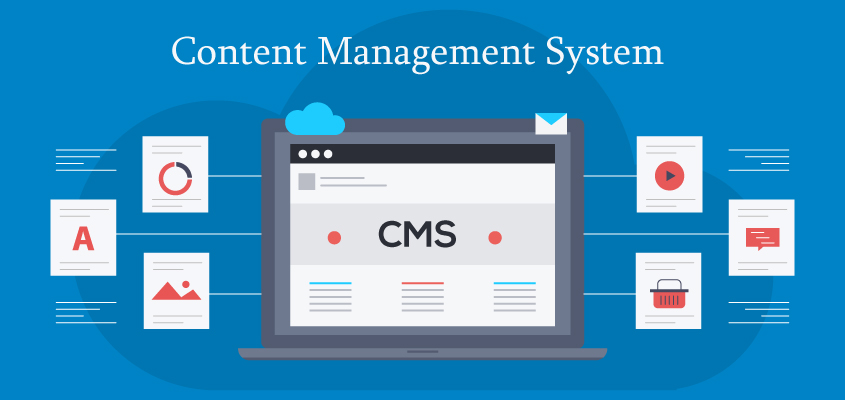
A CMS is a tool that facilitates the creation, editing, and management of digital content. It separates the content of a website from its design and functionality, making it easier for non-technical users to maintain the site. CMSs are used to manage web content such as text, images, videos, documents, and more.
Key Components of a CMS
- Content Management Application (CMA): The user interface where users can add, edit, and delete content without needing HTML knowledge.
- Content Delivery Application (CDA): The backend services that compile and deliver the content to the website visitors.
Types of CMS
- Web Content Management System (WCMS): Focuses on website content management, supporting the creation and management of digital content for web pages.
- Enterprise Content Management System (ECMS): Manages an organization’s documents, content, and records related to its processes. ECMS integrates document management, digital asset management, and records retention functionalities.
- Component Content Management System (CCMS): Manages content at a granular level, often used for technical documentation where content is reused in different documents or publications.
Benefits of Using a CMS
- Ease of Use: Simplifies content management tasks, making it accessible to users without technical skills.
- Collaboration: Multiple users can work on content simultaneously, enhancing productivity.
- SEO-Friendly: Many CMSs offer tools and plugins to optimize content for search engines.
- Scalability: Supports the growth of websites, allowing for the addition of new pages and features as needed.
- Security: Regular updates and security patches protect against vulnerabilities.
- Customization: Themes and plugins/extensions allow for extensive customization of website appearance and functionality.
Popular CMS Examples
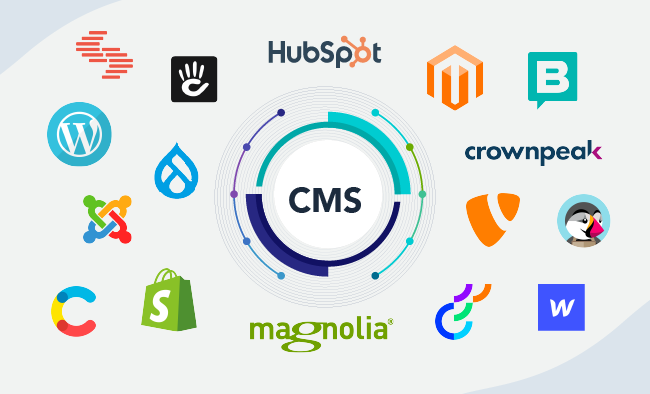
- WordPress: The most widely used CMS, known for its flexibility and a vast library of plugins and themes.
- Joomla: Offers more complex functionalities and a steeper learning curve than WordPress, suitable for more intricate sites.
- Drupal: Highly flexible and customizable, favored for its robust framework and scalability, often used for large and complex websites.
- Magento: A specialized CMS for e-commerce, providing powerful features for online stores.
- Shopify: A hosted e-commerce platform that simplifies the process of setting up and managing an online store.
- Wix: Known for its drag-and-drop interface, ideal for users seeking a straightforward website-building experience.
How to Choose the Right CMS
- Define Your Needs: Consider the type of content you will manage, the number of users, and your technical expertise.
- Scalability: Ensure the CMS can grow with your business and handle increasing traffic and content.
- Ease of Use: Look for a user-friendly interface, especially if non-technical users will be managing the content.
- Customization and Flexibility: Assess the availability of themes, plugins, and customization options.
- Support and Community: Check for available support, documentation, and active user communities.
- Cost: Consider both initial setup costs and ongoing expenses such as hosting, premium plugins, and maintenance.
Setting Up a CMS

- Choose a Hosting Provider: Select a reliable hosting provider if the CMS is not a hosted solution.
- Install the CMS: Many CMSs offer one-click installations via hosting control panels like cPanel.
- Select a Theme/Template: Choose a design that fits your brand and customize it as needed.
- Install Plugins/Extensions: Add functionality to your site with plugins (for WordPress) or extensions (for Joomla/Drupal).
- Create and Organize Content: Start adding pages, posts, images, and other content.
- Optimize for SEO: Use built-in tools or plugins to optimize your content for search engines.
- Maintain Your Site: Regularly update the CMS, themes, and plugins to ensure security and performance.
Conclusion
A Content Management System (CMS) is a software application that enables users to create, manage, and modify content on a website without the need for specialized technical knowledge. This guide provides a comprehensive overview of CMS, including its types, components, benefits, and popular examples.


